There’s a specific kind of Monday where you open your laptop, see the same wallpaper you’ve had since 2023, and feel your whole spirit sigh. We fixed it. Our free July 2026 calendar wallpapers are here, sized for your desktop and your phone, with the whole month laid out right on your screen so you stop asking your group chat what day the 4th falls on. (It’s a Saturday. You’re welcome.)
Here’s the part that makes ours different: you don’t just download a wallpaper, you build it. Our Wallpaper Studio lets you pick this month’s look, choose where the calendar sits, flip the text from dark to light, and download it in full resolution. Free, every single month.
What’s in the July 2026 Edit
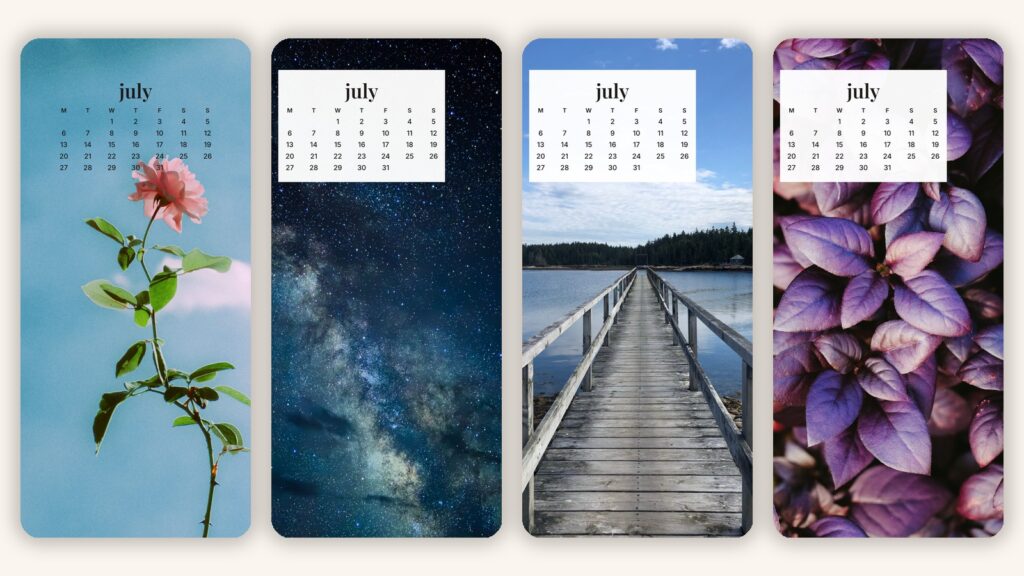
We treat these like a tiny monthly issue. For July, the edit leans into peak summer without going full beach-towel screensaver:
- The garden ranunculus. Soft pinks, blurred petals, the wallpaper equivalent of a fresh manicure.
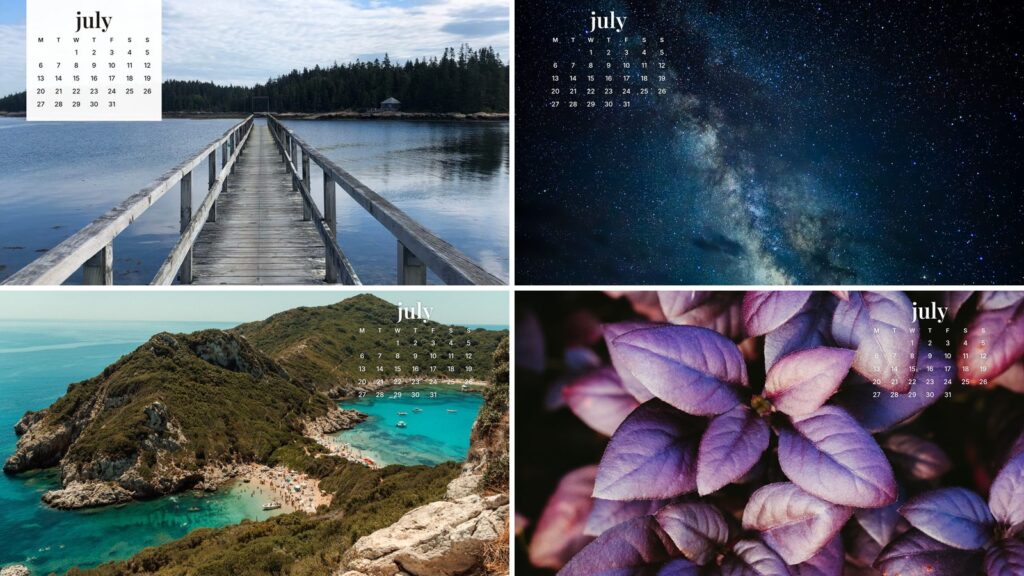
- The long dock. Weathered wood straight into still water, for anyone whose July mood is “gone to the lake, back never.”
- The blue-hour village. Whitewashed houses and warm windows at dusk, main-character energy without the flight.
- The midnight sky. A full galaxy on your lock screen, because some nights you want your phone to feel infinite.
- The moody botanical. Deep violet leaves, close and saturated. For the minimalists who find florals “a lot.”
- The turquoise cove. Impossible blue water and a hidden beach, the exact opposite of your inbox.
Every design comes in desktop (2560 x 1440) and phone (1170 x 2532), which covers most modern screens without that stretched, slightly seasick look you get from resizing a random Pinterest save.
How to Get Your July Wallpaper (Takes About a Minute)
- Open the Wallpaper Studio.
- Scroll this month’s edit and tap the look that matches your July mood.
- Pick your device: desktop or phone.
- Choose where the calendar sits (left, center, or right) and whether the text runs dark, light, or on a clean white card.
- Pop in your email once, hit unlock, and download your full-resolution PNG.
And the plot twist we’re most proud of: you can upload your own photo. Your dog, your last vacation, the latte that deserved better lighting. The Studio stamps the July 2026 calendar right on top, and your photo never leaves your device. We tested it with an editor’s very photogenic golden retriever and honestly, that wallpaper outperformed everything we designed.
How to Set a Calendar Wallpaper on Your Phone
On iPhone: save the image, then go to Settings, tap Wallpaper, choose Add New Wallpaper, select your download from Photos, and set it as your lock screen, home screen, or both. Pinch to adjust so the calendar sits clear of the clock.
On Android: save the image, open it in your gallery, tap the three-dot menu, choose Set as wallpaper, and pick your screen. Steps vary slightly by phone, but the three dots always know the way.
How to Set a Calendar Wallpaper on Your Desktop
On Mac: right-click your downloaded wallpaper and choose Set Desktop Picture, or head to System Settings, then Wallpaper, and add it there.
On Windows: right-click the file and choose Set as desktop background. Done. Take the win and go drink some water.
July 2026 Wallpaper FAQ
Are these July 2026 wallpapers really free?
Yes. You drop your email once to unlock downloads, we send you next month’s wallpapers before anyone else, and you can unsubscribe whenever. That’s the whole exchange, no fine print energy.
What sizes do the wallpapers come in?
Desktop downloads are 2560 x 1440 and phone downloads are 1170 x 2532. Both are full-resolution PNGs, so they stay crisp on newer screens.
Can I make a wallpaper with my own photo?
Yes, and we think it’s the best feature in the Studio. Upload any photo and it becomes a July 2026 calendar wallpaper on the spot. The photo stays on your device the entire time.
Does the calendar start on Sunday or Monday?
Monday. The week deserves a proper run-up, and Saturday and Sunday belong side by side, together, where they can plan things.
When do the August 2026 wallpapers come out?
The new edit drops at the start of each month, and email subscribers get it first. The Studio always shows the current month, so whatever you make is never out of date.
The Verdict
A wallpaper is the smallest possible redecoration, and somehow it works every time. Pick a look, set the calendar where you like it, and let your screen be the one organized thing in the room. Then come back on August 1st. We’ll have the next one ready.
Make your July 2026 wallpaper in the Studio →
New wallpapers drop monthly. Beauty, fashion, wellness, and the occasional strong opinion drop constantly. That’s the assignment.